
How Actors Can Use Google Alerts to Stay Informed and Network
If you're an actor looking for an easy way to monitor your online presence and stay connected to your industry, Google Alerts is one of the best free tools you can use. It takes about five minutes to set up, and once it's running, Google does the work for you by emailing you when new content matches your search.
Whether you want to monitor your acting career, discover new content to share on social media, or strengthen your professional relationships, Google Alerts makes it easy.
How to Set Up Google Alerts
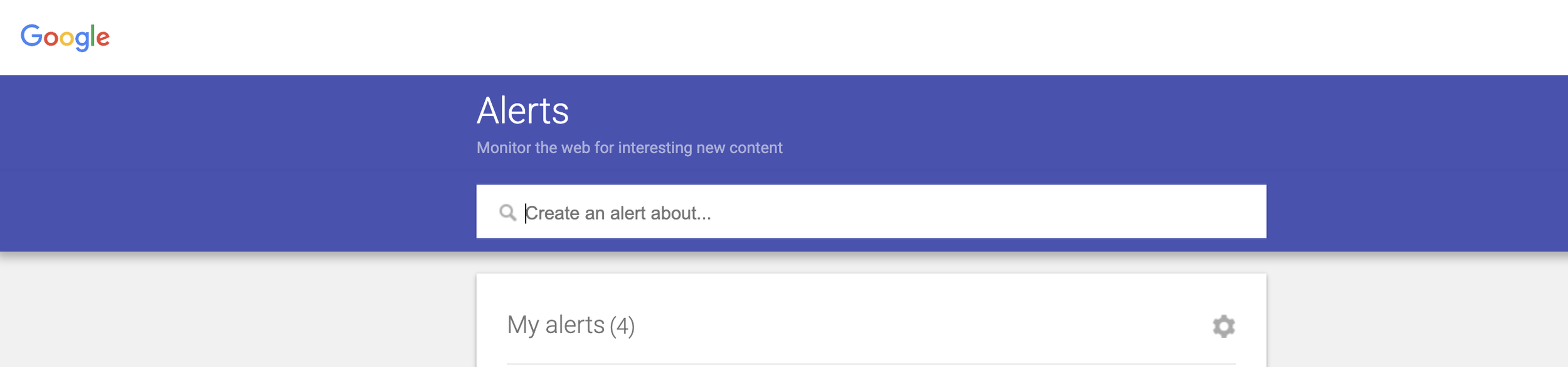
Go to: https://www.google.com/alerts
You'll see a search box where you can type in whatever you'd like Google to monitor (more on that in a sec):
Start With Your Own Name
The first Google Alert every actor should create is for their own name.
Whenever your name is mentioned online in a news story, blog post, article, or other web page that Google indexes, you'll receive an email with a link to that mention. It's an easy way to keep track of your online presence without having to search for yourself. As a bonus, you'll always know when you have a new article, interview, or feature to share with your followers on social media.
PRO TIP: If you have a common name, make your search more specific. For example:
"Jane Smith" actor
"Jane Smith" voice actor
"Jane Smith" Toronto
Notice the quotation marks around the name. They tell Google to search for that exact phrase instead of looking for "Jane" and "Smith" separately.
My Favorite Way to Use Google Alerts for Networking
Most people stop after setting up an alert for their own name.
I think the real magic is creating alerts for people you already know in the industry. It could be a casting director who brings you in regularly, an agent, a manager, a filmmaker, a coach, or someone you've worked with on set.
Now, when someone books a project, wins an award, gets promoted, or is featured in an interview, you'll know.
That gives you a genuine reason to reach out and celebrate their success. A quick message on social media like:
"Congratulations on your new project! I just saw the announcement and wanted to wish you all the best."
This takes less than a minute to send, feels authentic, and helps you stay connected with the people in your professional circle. Some of the best networking happens simply because you're paying attention.
A Few Settings Worth Changing
After creating your alert, click Show options to customize it.
I recommend:
How often: I like As-it-happens for my own name and Once a day for most other alerts.
Sources: Automatic works well for most people.
Language: Your preferred language.
Region: Any region, unless you only want local mentions.
How many: "Only the best results" helps reduce clutter.
Deliver to: Your preferred email address.
Keep It Simple
You don't need alerts for hundreds of people.
Start with your own name and 10 industry connections you'd genuinely like to keep up with.
It takes about five minutes to set up, and after that, Google quietly keeps an eye on things for you.
One small habit. Five minutes. Done. 💛
See you on social,

⭐️ Want more savvy online tips like this to help your career? Join me inside my membership community- Tech Savvy Actors! Learn more right here.
📘 Or dive into my book Social Media for Actors — it’s full of smart strategies to help you stand out online with content that represents you.